
CapCut: Photo & Video Editor
What CapCut is
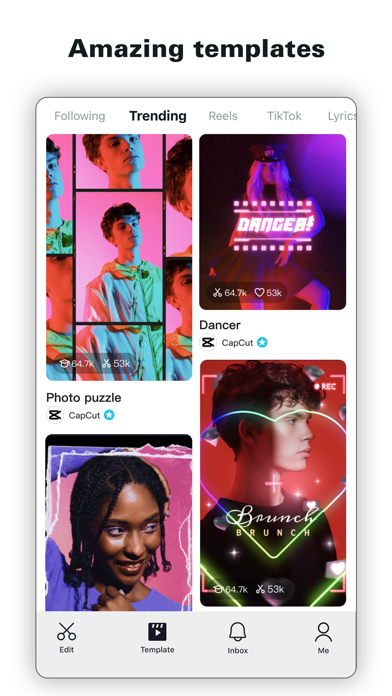
CapCut offers easy-to-use video editing functions, in-APP fonts and effects, advanced features such as keyframe animation, smooth slow-motion, chroma key, and stabilization, to help you capture and snip moments.
The sentence of its App Store description that best says what it is, picked by Jev. The developer's own words.CapCut offers easy-to-use video editing functions, in-APP fonts and effects, advanced features such as keyframe animation, smooth slow-motion, chroma key, and stabilization, to help you capture and snip moments.
Create fancy videos with other unique features: auto captions, text-to-speech, motion tracking, and background removal. Show your personality and go viral on TikTok, YouTube, Instagram, WhatsApp, and Facebook!
FEATURES
Basic video editing
• Trim and shorten clips and split or merge videos.
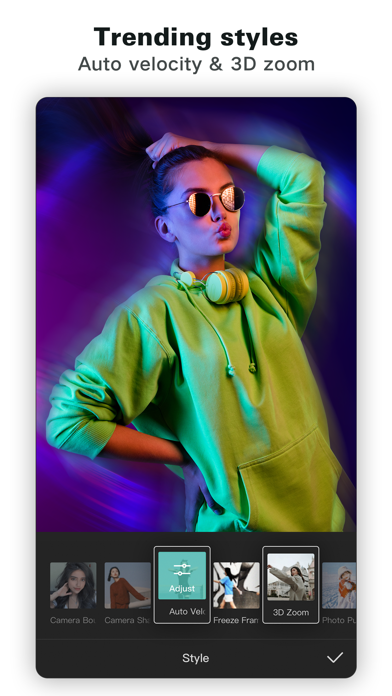
• Adjust video speed from 0.1x to 100x, and apply speed curves to clips.
• Animate video clips with incredible zoom in/out effects.
• Highlight the best moments with the freeze feature.
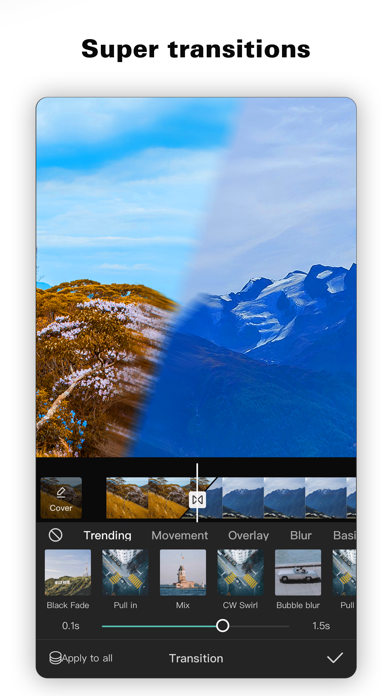
• Explore transition options with awesome effects on and between clips.
Advanced video editor
• Keyframe video animation is available for all settings.
• Edit videos to create smooth slow-motion with the optical flow feature and speed curve tool.
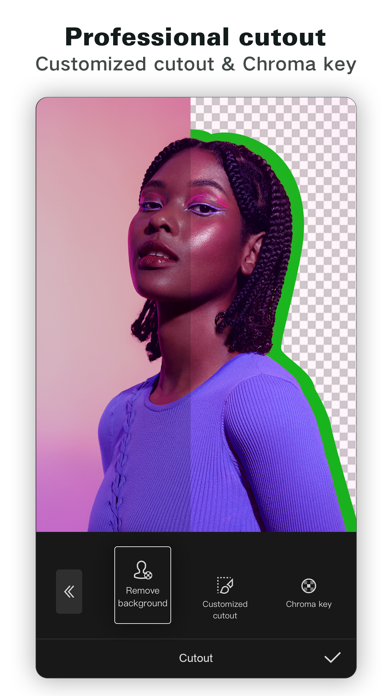
• Use the chroma key to remove specific colors from videos.
• Easy to arrange and preview clips on multi-track timeline.
• The stabilizing feature keeps video footage steady.
Intelligent features
• Auto captions: automate speech recognition and subtitles in videos.
• Text-to-speech: apply text-to-speech in multiple languages and voices.
• Background removal: automatically remove backgrounds.
Text & Stickers
• Add text to videos with different fonts and styles, choose unique text templates. Fonts can be imported locally.
• Subtitles can be added to the timeline of video tracks and can be moved and adjusted in one step.
Trending Effects & Filters
• Match video content with diverse filters that are updated weekly with the latest trends.
• Edit videos with hundreds of trending effects, including Glitch, Blur, 3D, etc.
• Add movie-style video filters or adjust video brightness, contrast, etc.
Music & Sound Effects
• Add millions of music clips and sound effects to videos.
• Extract audio, clips, and recordings from videos.
Easy to Share
• Custom video export resolution, HD video editor supports 4K 60fps exports and smart HDR.
• Adjust the format and share with your friends on social media platforms.
CapCut is an all-in-one video editor and video maker application with everything you need to create stunning, high-quality videos. Beginners can get started with CapCut in a matter of seconds, while advanced users can enjoy all the functions they need to edit videos.
Terms of Service —
https://www.capcut.com/clause/terms-of-service
Privacy Policy —
https://www.capcut.net/clause/privacy
Contact Us
Any questions about CapCut? Please contact us at capcut.support@bytedance.com.
Facebook: https://www.facebook.com/capcutapp
Instagram: https://www.instagram.com/capcutapp
YouTube: https://www.youtube.com/capcutofficial
TikTok: https://www.tiktok.com/@capcut
What people say
Within pricing complaints, features that used to be free and are now paid are the main sore point for CapCut reviewers, ahead of locked editing tools and paywalled export.
Written by an LLM from the lead report's counts.Read the reportBefore you install CapCut
Written reviews run 0.9 stars lower than the store score.
Store ratings count every star tap; written reviews come from people with something to say, so they usually run lower. Read the shares below as what reviewers raise, not the chance it happens to you.
Of the people who wrote a review
Watch out for
- Pricing and fees32%Most often formerly free features now paid
“I used to use this app a lot, but now I can’t do anything there because everything is paid.”
- Crashes and bugs15%
- Performance and battery4%
Share of written reviews that raise each one.
Who it suits
- Social posts129 reviewers; most raised: pricing and feesComplain63%Praise72%
- Personal memories14 reviewers; most raised: pricing and feesComplain57%Praise50%
- Professional work14 reviewers; most raised: pricing and feesComplain64%Praise64%


What CapCut reviewers say
One public report on CapCut: Photo & Video Editor reads 3,000 App Store and Google Play reviews from the last year. The report “CapCut's paywall and terms: what editors complain about” was last updated Oct 28, 2026. Of its 3,000 judged reviewers, 73% complain, 43% praise something, 9% make a request, 3% say they're quitting and 1% cancelled a paid plan. The top complaint is pricing and fees at 42% of complaints, then crashes and bugs (18%) and missing feature (7%). Top praise: easy to use, at 15% of praise. Top requests: new feature or option (38%) and bring something back (35%). Two audience differences stand out. Google Play: mention ads 2.2x as often as everyone (9% vs 4%). United States: mention content quality 2.0x as often as everyone (13% vs 6%).
One public report on CapCut: Photo & Video Editor. Each title is written by the person who shared it; the line under it says how the reviews were picked.
Made with OneStar's App Store and Google Play review analyzer. Run one on your own app or a competitor's, free with no card.