
Dexcom G7
What Dexcom G7 is
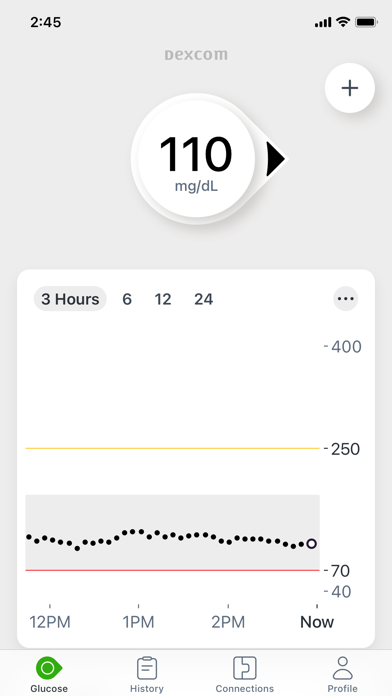
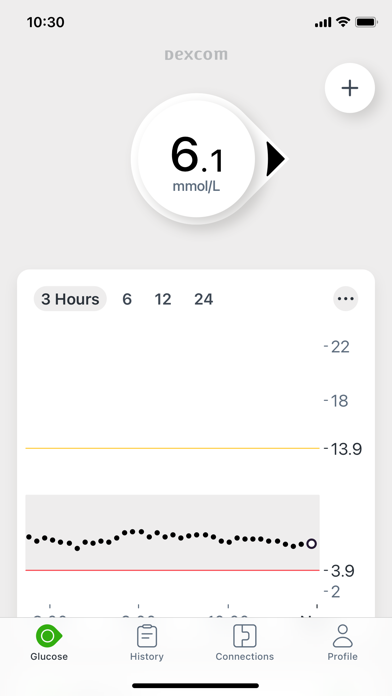
Know your glucose number and where it’s heading with the Dexcom G7 Continuous Glucose Monitoring (CGM) System.
The opening of its App Store description. The developer's own words.Know your glucose number and where it’s heading with the Dexcom G7 Continuous Glucose Monitoring (CGM) System.
Only use this app if you have the Dexcom G7 CGM System.* Before you start making treatment decisions with Dexcom G7, work with your healthcare professional to learn how.
The Dexcom G7 Continuous Glucose Monitoring (CGM) System supports more empowered and integrated diabetes management. Its low-profile, wearable sensor provides real-time glucose data to a user’s compatible display device, no fingersticks required.†
Dexcom G7 also offers customizable alerts that can help warn of high or low glucose levels, as well as remote monitoring and reporting options that help keep users connected to their loved ones and care teams anytime, anywhere.
*To view a list of compatible devices, visit dexcom.com/compatibility.
†If your glucose alerts and readings from Dexcom G7 do not match symptoms or expectations, use a blood glucose meter to make diabetes treatment decisions.
In addition to the accurate performance provided by the Dexcom Sensor, you’ll receive other valuable features:
• Share your glucose data with up to 10 followers who can monitor your glucose data and trends on their compatible smart device with the Dexcom Follow app. Share and Follow functions require an internet connection
• Clarity Clinic is now integrated into the G7 connections tab, making it easy to share data with your Clarity healthcare team
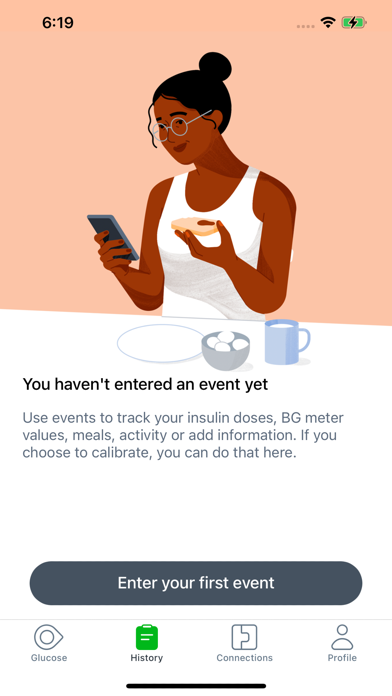
• Now you can log your estimated fasting glucose in the Dexcom G7 app. Regularly tracking your fasting glucose allows you and your healthcare team to identify trends in your glucose levels
• Connect G7 Sensor directly to your Apple Watch, giving you the freedom and convenience of real-time glucose readings on your wrist even when you’re not near your phone**
• Digital Health app integrations allow you to share your glucose data with third-party health apps and lifestyle devices
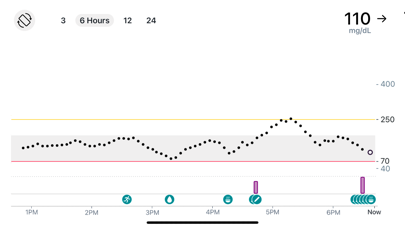
• Now you can see your health and activity data from connected apps and devices on your G7 trend graph
• Add a shortcut so you can ask Siri to read your current glucose value, using a custom phrase
• Dexcom Clarity summary insights are integrated into the G7 app, so that you can see both real-time and retrospective glucose insights from the same app
Apple Watch:
• View your glucose information, trend graph, and alerts right from your wrist with the Dexcom G7 Apple Watch app. Watches require compatible smart device to use app.
G7 app features and partner integrations may differ by region. Refer to your user guide for more information.
**Compatible smartphone is required to pair a new Dexcom G7 sensor with a compatible Apple Watch. Dexcom G7 users must continuously have their smartphone within 20 feet / 6 meters to utilize the Share/Follow features. Apple Watch is not capable of Share/Follow.
What people say
Version 2.15.1 brought a jump in privacy and notification complaints, with 17% of complaints in that version against a usual 4%.
Written by an LLM from the lead report's counts.Read the reportBefore you install Dexcom G7
Written reviews run 1.1 stars lower than the store score.
Store ratings count every star tap; written reviews come from people with something to say, so they usually run lower. Read the shares below as what reviewers raise, not the chance it happens to you.
Of the people who wrote a review
Watch out for
- Crashes and bugs42%Most often sensor pairing and connection errors
“never loads.”
- Privacy and notificationsrising7%
Share of written reviews that raise each one.
Who it suits
- Medical481 reviewers; most raised: crashes and bugsComplain87%Praise37%
- Family and kids3 reviewers; most raised: crashes and bugsComplain100%Praise0%
What Dexcom G7 reviewers say
One public report on Dexcom G7 reads 1,129 App Store and Google Play reviews from Jul 1, 2026 to Oct 25, 2026. The report “Dexcom G7 reviews: the terms prompt, sensor failures and lost signal” was last updated Oct 25, 2026. Of its 1,129 judged reviewers, 90% complain, 27% praise something, 18% make a request and 5% say they're quitting. The top complaint is crashes and bugs at 42% of complaints, then missing feature (25%) and privacy and notifications (7%). Top praise: works reliably, at 18% of praise. Top requests: new feature or option (63%) and bring something back (11%). Two audience differences stand out. 1 star: mention privacy and notifications 1.6x as often as everyone (13% vs 8%). 4 stars: mention missing feature 2.0x as often as everyone (53% vs 27%).
One public report on Dexcom G7. Each title is written by the person who shared it; the line under it says how the reviews were picked.
Made with OneStar's App Store and Google Play review analyzer. Run one on your own app or a competitor's, free with no card.