
What Google is
Download the Google app to find quick answers, explore your interests, and ask anything on your mind in any way.
The sentence of its App Store description that best says what it is, picked by Jev. The developer's own words.Download the Google app to find quick answers, explore your interests, and ask anything on your mind in any way. Try AI in Google Search with AI Mode, Lens, Search Live, and more.
Feature highlights*:
• AI Mode: Get AI-powered responses to your toughest questions with AI Mode–talk, type, or snap a photo to get started, and ask follow-up questions to dig deeper. You’ll continue to see a range of helpful links so you can keep exploring across the web.
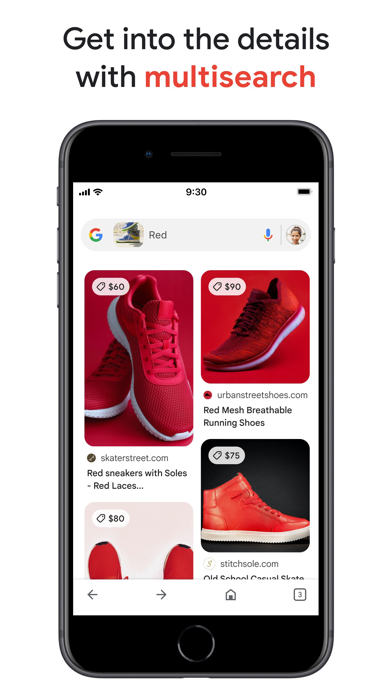
• Google Lens: See something you like? Snap a photo and discover where to shop for it, find related images, and more. Refine your camera searches by adding words – whether you want those shoes but in ‘blue’, or want to learn how to ‘repair’ that broken bit on your bicycle.
• Search Live: Have a live, real-time conversation in Search by using your voice and camera to easily get answers and on-screen links to the web when you need them.
• AI Overviews: Get a snapshot of key information about a topic or question, like ’how to fix a broken zipper’, with links so you can easily explore more on the web.
• Hum to Search: Can't remember the name of that song? Hum the tune and Google will help find it for you—no lyrics, artist name or perfect pitch required. You can also search for a song playing near you.
• Discover: Stay up-to-date on topics that matter to you. Get personalized news, articles, and videos based on your interests.
• Google Search Widget: Search faster from your home screen or lock screen, with easy shortcuts to AI Mode, Lens, and more.
Google Search, totally reimagined with AI
• Explore a new intelligent Search box that expands with your curiosity, offers AI powered suggestions and lets you search with text, videos and more.
• Bring your toughest questions to Search. With a more seamless Search experience, you can go from an AI Overview on the search results page to asking follow-up questions in AI Mode, with links to the web.
• Get help with planning, researching, brainstorming new ideas, and more with the latest Gemini models delivering frontier performance for agents and coding.
• Bring your ideas to life by transforming your photos in Lens or creating images in AI Mode with Nano Banana. Available in select languages and locations.
Search what you see with Google Lens:
• Use your camera to identify what you’re looking at. Identify plants and animals, translate text in real-time, find similar products to buy, and even solve math problems with step-by-step guides.
• Translate over 100 languages on things like road signs when you travel, menus, and more by pointing your camera at text.
• Reverse image search: Find the source, similar photos, and related information for any image.
• Get step-by-step homework help on math, physics and word problems, and testing your knowledge with Questions and Answers are now fully supported within the Google app.
Search safely and securely:
• All searches in the Google app are protected by encrypting the connection between your device and Google.
• Privacy controls are easy to find and use. Tap your profile picture to access your menu and delete recent search history from your account with one click.
• Search proactively filters webspam to help ensure that you see safe, high-quality results.
Learn more about what the Google app can do for you: https://search.google/
Privacy policy: https://www.google.com/policies/privacy
Your feedback helps us create products you'll love. Join a user research study here:
https://goo.gl/kKQn99
*Features may not be available in all countries.
What people say
Crashes and bugs in Google come down to a search box that won't take typing, AI mode glitches, app crashes and a stuck logo screen.
Written by an LLM from the lead report's counts.Read the reportBefore you install Google
Written reviews run 0.7 stars lower than the store score.
Store ratings count every star tap; written reviews come from people with something to say, so they usually run lower. Read the shares below as what reviewers raise, not the chance it happens to you.
Of the people who wrote a review
Watch out for
- Crashes and bugs12%Most often search box won't accept typing
“This app is horrible I try to search something and nothing happens and it kicks me out no matter what i do it lets me type something in and when I press search nothing happens and then it kicks me...”
Share of written reviews that raise each one.
Who it suits
- Personal life135 reviewers; most raised: missing featureComplain28%Praise78%
- Work16 reviewers; most raised: missing featureComplain18%Praise88%
- Security and privacy6 reviewers; most raised: sync and data lossComplain33%Praise67%



What Google reviewers say
One public report on Google reads 2,635 App Store and Google Play reviews from the last year. The report “What people complain about and love in 2026” was last updated Oct 23, 2026. Of its 2,635 judged reviewers, 47% complain, 49% praise something, 6% make a request and 3% say they're quitting. The top complaint is crashes and bugs at 24% of complaints, then content quality (16%) and missing feature (9%). Top praise: easy to use, at 7% of praise. Top requests: bring something back (42%) and new feature or option (37%). Two audience differences stand out. Canada: say they're quitting 2.1x as often as everyone (7% vs 3%). Canada: mention company, ethics and policy 2.7x as often as everyone (27% vs 10%).
One public report on Google. Each title is written by the person who shared it; the line under it says how the reviews were picked.
Made with OneStar's App Store and Google Play review analyzer. Run one on your own app or a competitor's, free with no card.