
Microsoft Authenticator
What Microsoft Authenticator is
Use Microsoft Authenticator for easy, secure sign-ins for all your online accounts using multi-factor authentication, passwordless, or password autofill.
The sentence of its App Store description that best says what it is, picked by Jev. The developer's own words.Use Microsoft Authenticator for easy, secure sign-ins for all your online accounts using multi-factor authentication, passwordless, or password autofill. You also have additional account management options for your Microsoft personal, work or school accounts.
Getting started with multi-factor authentication
Multi factor authentication (MFA)provides a second layer of security. When enabled, during login after entering your password, you’ll be asked for an additional way to prove it’s really you. Either approve the notification sent to the Microsoft Authenticator, or enter the one-time password (OTP) generated by the app. The OTP codes have a 30 second timer counting down. This timer is so you never have to use the same time-based one-time password (TOTP) twice and you don’t have to remember the number. The OTP doesn’t require you to be connected to a network, and it won’t drain your battery. You can add multiple accounts to your app, including non-Microsoft accounts like Facebook, Amazon, Dropbox, Google, LinkedIn, GitHub, and more.
Getting started with passwordless
Use your phone, not your password, to log into your Microsoft account. Just enter your username, then approve the notification sent to your phone. Your fingerprint, face ID, or PIN will provide a second layer of security in this two-step verification process. After you’ve signed in with two factor authentication (2FA), you’ll have access to all your Microsoft products and services, such as Outlook, OneDrive, Office, and more.
Microsoft personal, work or school accounts
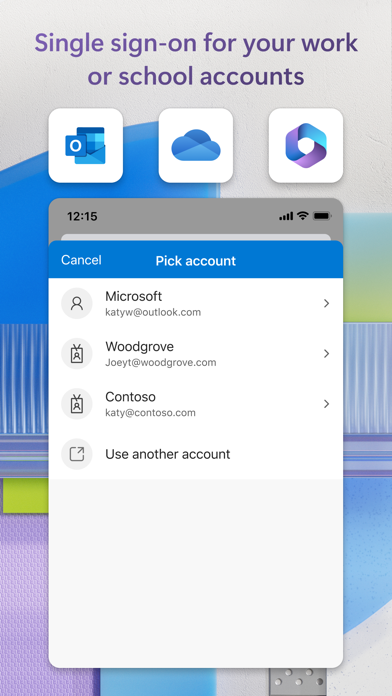
Sometimes your work or school might ask you to install the Microsoft Authenticator when accessing certain organization resources. You will need to register your device to your organization through the app and add your work or school account. Microsoft Authenticator supports cert-based authentication by issuing a certificate on your device. This will let your organization know that the sign-in request is coming from a trusted device and help you seamlessly and securely access additional Microsoft apps and services without needing to log into each.
Microsoft Authenticator may request the following optional permissions, which require your consent. You can continue to use Microsoft Authenticator without granting these permissions. However, some features may be limited or unavailable. For more information, please see below:
- Face ID: To enable app lock and help protect your accounts
- Camera: To scan QR codes when adding accounts to Microsoft Authenticator.
What people say
People get locked out of accounts in a loop where signing in to Microsoft Authenticator needs a code that only the app can give, often after a restore or a phone change.
Written by an LLM from the lead report's counts.Read the reportBefore you install Microsoft Authenticator
Written reviews run 2.1 stars well below the store score.
Store ratings count every star tap; written reviews come from people with something to say, so they usually run lower. Read the shares below as what reviewers raise, not the chance it happens to you.
Of the people who wrote a review
Watch out for
- Login and account37%
“sucks so bad, logged out of my email and authenticator app, i need a code from authenticator app to log back into email, can’t get the code because it’s logged me out of the authenticator app,...”
- Crashes and bugs12%
- Sync and data loss4%
Share of written reviews that raise each one.
Who it suits
- Work166 reviewers; most raised: login and accountComplain90%Praise12%
- School or study95 reviewers; most raised: login and accountComplain100%Praise3%
- Personal life19 reviewers; most raised: login and accountComplain42%Praise58%



What Microsoft Authenticator reviewers say
One public report on Microsoft Authenticator reads 2,271 App Store and Google Play reviews from the last year. The report “What people complain about and love in 2026” was last updated Oct 30, 2026. Of its 2,271 judged reviewers, 68% complain, 35% praise something, 5% make a request and 2% say they're quitting. The top complaint is login and account at 51% of complaints, then crashes and bugs (10%) and hard to use or cluttered (11%). Top praise: easy to use, at 33% of praise. Top requests: new feature or option (51%) and bring something back (11%). Two audience differences stand out. 4 stars: mention missing feature 5.7x as often as everyone (42% vs 7%). App Store: say they're quitting 1.4x as often as everyone (2% vs 2%).
One public report on Microsoft Authenticator. Each title is written by the person who shared it; the line under it says how the reviews were picked.
Made with OneStar's App Store and Google Play review analyzer. Run one on your own app or a competitor's, free with no card.